Tutorial 2: Communications using topics
Objective: This tutorial session is devoted to learn the ROS 2 publish/subscribe anonymous message passing.
Contents
After this session you will be able to:
Implement a ROS 2 node deriving from the rclcpp::Node class
Use standard and common message types and define custom messages.
Understand and use the mechanism to record and replay messages.
Get the insights of the QoS in ROS 2.
Understand the alternative ways to execute the nodes.
References:
Chapter 2 of the book Concise Introduction to Robot Programming With Ros2 by Francisco Martín Rico (examples: https://github.com/fmrico/book_ros2).
Chapters 2, 3 and 4 of the book A very informal journey through ROS 2 Marco Mateo Bassa (examples: https://github.com/nirwester/ros2_journey_examples).
Complementary resources:
Provided packages:
This tutorial will use the following package:
Package pubsubPackage foolturtlePackage custom_interfacesPackage pubsub_custom
Prepare the colcon workspace to work with it:
If you have not yet done so, follow the steps in Setup to:
clone in your ~/data/git-projects folder the meta-repository containing all the required packages,
create the colcon workspace folders (use colcon_ws2 for the current tutorial).
Follow the procedure shown in Procedure to prepare the exercises to import in the intro2ros/2025/teamXX/EXERCISE2 subgroup of your GitLab account the packages:
In your git-projects folder clone the foolturtle projects of your GitLab account inside an exercise2 subfolder (change XX by your team number). You can use https:
git clone https://gitlab.com/intro2ros/2025/teamXX/exercise2/foolturtle.git exercise2/foolturtle
or ssh:
git clone git@gitlab.com:intro2ros/2025/teamXX/exercise2/foolturtle.git exercise2/foolturtle
In your colcon_ws2/src folder create a symbolic link to the package to be used:
ln -s ~/data/git-projects/all_introduction_to_ros2_packages/pubsub
ln -s ~/data/git-projects/exercise2/foolturtle
ln -s ~/data/git-projects/all_introduction_to_ros2_packages/custom_interfaces
ln -s ~/data/git-projects/all_introduction_to_ros2_packages/pubsub_custom
The rclcpp::Node class
There are two main ways to create a Node. The most immediate one is as we did in the example of section Creating a ROS 2 workspace and a package, i.e. the node is created as a shared pointer to a rclcpp::Node class. Then this pointer can be used to read parameters, create publishers and subscribers, service and clients, among other things, using the methods of the class:
The other way to instantiate a node is using class inheritance from rclcpp::Node class:
 1#include "rclcpp/rclcpp.hpp"
 2
 3class OurClass : public rclcpp::Node{
 4  public:
 5    OurClass() : Node(" best_node_name") {
 6    // Some constructor
 7  }
 8}
 9int main( int argc, char** argv)
10{
11  rclcpp::init(argc , argv);
12  auto node = std::make_shared<OurClass>();
13  rclcpp::spin(node);
14  rclcpp::shutdown();
15  return 0;
16}
This approach allows to have a cleaner code, opens the door to more possibilities and facilitates reusability. This is how the publisher and subscriber nodes discussed in this tutorial will be implemented.
A publisher program
Take a look at the file publisher_class.cpp of package pubsub that implements a node that publishes a counter (which is an integer) in a topic called int_topic:
 1  #include "rclcpp/rclcpp.hpp"
 2
 3  using namespace std::chrono_literals;
 4  using std::placeholders::_1;
 5
 6  class PublisherNode : public rclcpp::Node
 7  {
 8   public:
 9    PublisherNode()
10    : Node("publisher_node")
11    {
12      publisher_ = create_publisher<std_msgs::msg::Int32>("int_topic", 10);
13      timer_ = create_wall_timer(
14       500ms, std::bind(&PublisherNode::timer_callback, this));
15    }
16
17    void timer_callback()
18    {
19      message_.data += 1;
20      publisher_->publish(message_);
21    }
22
23   private:
24    rclcpp::Publisher<std_msgs::msg::Int32>::SharedPtr publisher_;
25    rclcpp::TimerBase::SharedPtr timer_;
26    std_msgs::msg::Int32 message_;
27  };
28
29  int main(int argc, char * argv[])
30  {
31    rclcpp::init(argc, argv);
32
33    auto node = std::make_shared<PublisherNode>();
34    rclcpp::spin(node);
35    rclcpp::shutdown();
36    return 0;
37 }
Let’s discuss the important aspects:
An instance of class rclcpp::Publisher, in charge of creating the topic (if it does not exist) and publishing the messages, is created using the create_publisher method of rclcpp::Node, which returns a shared ptr to an rclcpp::Publisher object.
The type of message used is
std msgs/msg/Int32, therefore:The header
std msgs/msg/int32.hppneeds to be included.The data type
std_msgs::msg::Int32needs to be specified in the definition of the publisher_ object (line 24) and in the create_publisher function (line 12).The data field of the message is filled with an integer (line 19).
A timer is created (line 13) that calls the timer_callback function every 500 ms where the message is actually published using the publisher’s publish method (line 20).
Exercise
Run the node and echo the messages being published (in two terminals):
ros2 run pubsub publisher_class
ros2 topic echo int_topic
Exercise
Take a look at the CMakeLists.txt and package.xml files. Search for std_msgs to see how the dependency on this package is handled.
A subscriber program
Now let’s take a look at the file subscriber_class.cpp of the same package pubsub that implements a node that subscribes to int_topic:
 1 #include "rclcpp/rclcpp.hpp"
 2 #include "std_msgs/msg/int32.hpp"
 3
 4 using std::placeholders::_1;
 5
 6 class SubscriberNode : public rclcpp::Node
 7 {
 8 public:
 9   SubscriberNode()
10   : Node("subscriber_node")
11   {
12     subscriber_ = create_subscription<std_msgs::msg::Int32>(
13       "int_topic", 10,
14       std::bind(&SubscriberNode::callback, this, _1));
15   }
16
17   void callback(const std_msgs::msg::Int32::SharedPtr msg)
18   {
19     RCLCPP_INFO(get_logger(), "Hello %d", msg->data);
20   }
21
22 private:
23   rclcpp::Subscription<std_msgs::msg::Int32>::SharedPtr subscriber_;
24 };
25
26 int main(int argc, char * argv[])
27 {
28   rclcpp::init(argc, argv);
29
30   auto node = std::make_shared<SubscriberNode>();
31   rclcpp::spin(node);
32   rclcpp::shutdown();
33   return 0;
34 }
Let’s discuss the important aspects:
An instance of class rclcpp::PubSubscription, in charge of creating the topic (if it does not exist) and receiving the messages, is created using the create_subscription method of rclcpp::Node, which returns a shared ptr to an rclcpp::Subscription object.
The type of message used is
std msgs/msg/Int32, therefore:The header
std msgs/msg/int32.hppneeds to be included.The data type
std_msgs::msg::Int32needs to be specified in the definition of the subscriber_ object (line 23) and in the create_subscription function (line 12).
A callback function is called each time a message published on this topic, which receives the message in its msg parameter as a shared ptr.
Exercise
Run the publisher and subscriber nodes:
ros2 run pubsub publisher_class
ros2 run pubsub subscriber_class
Standard and common messages
Standard messages
Standard messages (std_msgs) include common message types representing primitive data types and other basic message constructs, such as multiarrays:
Bool |
Byte |
ByteMultiArray |
Char |
ColorRGBA |
Duration |
Empty |
Float32 |
Float32MultiArray |
Float64 |
Float64MultiArray |
Int16 |
Int16MultiArray |
Int32 |
Int32MultiArray |
Int64 |
Int64MultiArray |
Int8 |
Int8MultiArray |
MultiArrayDimension |
MultiArrayLayout |
String |
Time |
UInt16 |
UInt16MultiArray |
UInt32 |
UInt32MultiArray |
UInt64 |
UInt64MultiArray |
UInt8 |
UInt8MultiArray |
Exercise
Use the rqt tool to browse the std_msgs types:
rqt -s rqt_msg

Common interfaces
Common interfaces is a set of packages which contain common interface files (.msg and .srv) that are widely used by other ROS packages, e.g. messages for:
geometric primitives (geometry_msgs)
common sensors (sensor_msgs)
robot navigation (nav_msgs)
Geometry messages
The geometry_msgs package provides messages for common geometric primitives such as points, vectors, and poses. These primitives are designed to provide a common data type and facilitate interoperability throughout the system.
Accel |
AccelStamped |
AccelWithCovariance |
AccelWithCovarianceStamped |
Inertia |
InertiaStamped |
Point |
Point32 |
PointStamped |
Polygon |
PolygonStamped |
Pose |
Pose2D |
PoseArray |
PoseStamped |
PoseWithCovariance |
PoseWithCovarianceStamped |
Quaternion |
QuaternionStamped |
Transform |
TransformStamped |
Twist |
TwistStamped |
TwistWithCovariance |
TwistWithCovarianceStamped |
Vector3 |
Vector3Stamped |
Wrench |
WrenchStamped |
Exercise
Use the rqt tool to browse the geometry_msgs types:
rqt -s rqt_msg

Common sensors
The sensor_msgs package defines messages for commonly used sensors, including cameras and scanning laser range finders.
CameraInfo |
ChannelFloat32 |
CompressedImage |
FluidPressure |
Illuminance |
Image |
Imu |
JointState |
Joy |
JoyFeedback |
JoyFeedbackArray |
LaserEcho |
LaserScan |
MagneticField |
MultiDOFJointState |
MultiEchoLaserScan |
NavSatFix |
NavSatStatus |
PointCloud |
PointCloud2 |
PointField |
Range |
RegionOfInterest |
RelativeHumidity |
Temperature |
TimeReference |
Exercise
Use the rqt tool to browse the sensor_msgs types:
rqt -s rqt_msg

Custom messages
While it is recommended to use standard and common messages, some custom messages may be sometimes required.
In this case, a side package with the new interfaces has to be created.
The custom_interfaces package
The custom_interfaces package has been created only to define a new message type. Therefore, its folder structure is just:
custom_interfaces/
  CMakeLists.txt
  package.xml
  msg/
    MyMessage.msg
Some naming conventions have to be followed for defining interfaces:
Naming of messages and services: Each file contains a single message or service. Message files use the extension .msg, service files use the extension .srv. Both file names must use an upper CamelCase name and only consist of alphanumeric characters.
Naming of fields: Field names must be lowercase alphanumeric characters with underscores for separating words. They must start with an alphabetic character, they must not end with an underscore and never have two consecutive underscores.
Header files: The files generated from message generation are snake case (i.e. the names of the header files are all lowercase and include an underscore before every uppercase in the original CamelCase name).
Following these conventions, the message file MyMessage.msg has been created with a new message defined with two fields, a geometry_msgs/Point and a string. The file MyMessage.msg is:
1geometry_msgs/Point center
2string name
In order to generate the new custom message and make it available to other packages, the use of rosidl packages is required. These packages contain a set of tools and libraries to define interfaces (message types, services and actions).
For this, the CMakeLists.txt file should have the following lines:
1find_package(geometry_msgs REQUIRED)
2find_package(rosidl_default_generators REQUIRED)
3set(msg_files
4   "msg/MyMessage.msg"
5   )
6rosidl_generate_interfaces(${PROJECT_NAME}
7 ${msg_files}
8 DEPENDENCIES geometry_msgs # Add packages that above messages depend on, in this case geometry_msgs
9)
And the package.xml file should have the following lines:
1<depend>geometry_msgs</depend>
2<buildtool_depend>rosidl_default_generators</buildtool_depend>
3<exec_depend>rosidl_default_runtime</exec_depend>
4<member_of_group>rosidl_interface_packages</member_of_group>
Exercise
Build the package in the colcon_ws2 workspace and check the availability of the new custom messages:
colcon build --packages-up-to custom_interfaces
source install/setup.bash
ros2 interface show custom_interfaces/msg/MyMessage
The pubsub_custom package
Take a look at the publisher and subscriber nodes that use the new custom message.
Note that:
The include file to be used is custom_interfaces/msg/my_message.hpp. Note that the message MyMessage has generated the file my_message.hpp.
The data type
custom_interfaces::msg::MyMessageis specified in the definition of the publisher_ and subscriber_ objects and in the create_publisher and create_subscription functions.
 1 #include "custom_interfaces/msg/my_message.hpp"
 2
 3 using namespace std::chrono_literals;
 4 using std::placeholders::_1;
 5
 6 class PublisherNode : public rclcpp::Node
 7 {
 8 public:
 9   PublisherNode()
10   : Node("publisher_node")
11  {
12     publisher_ = create_publisher<custom_interfaces::msg::MyMessage>("my_topic", 10);
13     timer_ = create_wall_timer(
14     500ms, std::bind(&PublisherNode::timer_callback, this));
15     counter_ = 0;
16   }
17
18  void timer_callback()
19   {
20     counter_ += 1;
21     message_.center.x = double(rand())/double(RAND_MAX);
22     message_.center.y = double(rand())/double(RAND_MAX);
23     message_.center.z = double(rand())/double(RAND_MAX);
24     message_.name = std::string("random point ") + std::to_string(counter_);
25     publisher_->publish(message_);
26 }
27
28 private:
29   rclcpp::Publisher<custom_interfaces::msg::MyMessage>::SharedPtr publisher_;
30   rclcpp::TimerBase::SharedPtr timer_;
31   custom_interfaces::msg::MyMessage message_;
32   unsigned int counter_;
33 };
34
35 int main(int argc, char * argv[])
36 {
37   rclcpp::init(argc, argv);
38   auto node = std::make_shared<PublisherNode>();
39   rclcpp::spin(node);
40   rclcpp::shutdown();
41   return 0;
42 }
 1 #include "rclcpp/rclcpp.hpp"
 2 #include "custom_interfaces/msg/my_message.hpp"
 3
 4 using std::placeholders::_1;
 5
 6 class SubscriberNode : public rclcpp::Node
 7 {
 8 public:
 9   SubscriberNode()
10   : Node("subscriber_node")
11   {
12     subscriber_ = create_subscription<custom_interfaces::msg::MyMessage>(
13       "my_topic", 10,
14       std::bind(&SubscriberNode::callback, this, _1));
15   }
16
17   void callback(const custom_interfaces::msg::MyMessage::SharedPtr msg)
18   {
19     RCLCPP_INFO(get_logger(), "Name = %s", msg->name.c_str());
20     RCLCPP_INFO(get_logger(), "x = %f", msg->center.x);
21     RCLCPP_INFO(get_logger(), "y = %f", msg->center.y);
22     RCLCPP_INFO(get_logger(), "z = %f", msg->center.z);
23   }
24
25 private:
26  rclcpp::Subscription<custom_interfaces::msg::MyMessage>::SharedPtr subscriber_;
27 };
28
29 int main(int argc, char * argv[])
30 {
31   rclcpp::init(argc, argv);
32   auto node = std::make_shared<SubscriberNode>();
33   rclcpp::spin(node);
34   rclcpp::shutdown();
35   return 0;
36 }
Take a look at the CMakeList.txt and package.xml files.
Note that:
package.xml: The dependency of the custom_interfaces is set.
CMakeList.txt: The package custom_interfaces is set as required.
CMakeList.txt: The dependencies variable using for generating the targets includes the custom_interfaces.
The relevant lines of the package.xml are:
1 <depend>custom_interfaces</depend>
The relevant lines of the CMakeList.txt are:
1 find_package(custom_interfaces REQUIRED)
2 set(dependencies
3     rclcpp
4     custom_interfaces
5 )
Exercise
Run the publisher and subscriber nodes:
ros2 run pubsub_custom publisher_class
ros2 run pubsub_custom subscriber_class
EXERCISE 2
The foolturtle package
This package contains:
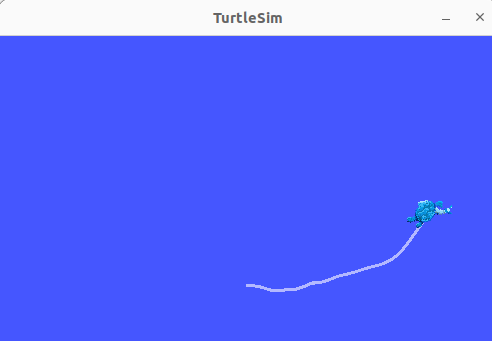
The program pubvel.cpp, whose executable file called pubvel creates a node called pubvel_node. This node broadcasts random command velocities to be used by the turtlesim node to move a turtle.
The program subpose.cpp, whose executable file called subpose creates a node called subpose_node. This node subscribes to the pose messages send by the turtle of the turtlesim package, and prints it in the terminal.
Take a look at the pubvel.cpp file. Note that:
The class PublisherNode derives from the class rclcpp::Node.
It has a private member which is a publisher (rclcpp::Publisher<geometry_msgs::msg::Twist>::SharedPtr pubvel_).
It has a timer_callback to periodically publish a messages.
Take a look at the subpose.cpp file. Note that:
The class SubscriberNode derives from the class rclcpp::Node.
It has a private member which is a subscription (rclcpp::Subscription<turtlesim::msg::Pose>::SharedPtr subpose_).
It has a callback that is executed when a message arrives.
Take a look at the package.xml file:
Note that because pubvel uses a message type from the geometry_msgs package, we must declare a dependency on that package.
Note that because subpose uses a message type from the turtlesim package, we must declare a dependency on that package.
Exercise
Build the foolturtle package in the colcon_ws2 workspace and run the nodes:
colcon build --packages-up-to foolturtle
source install/setup.bash
ros2 run turtlesim turtlesim_node
ros2 run foolturtle pubvel
ros2 run foolturtle subpose
rqt_graph

Proposed exercise
To solve Exercise 2 you must modify the foolturtle package that you have cloned in your git-projects folder.
Recall to keep commiting the changes when coding the solution (do small commits with good commit messages!) and edit the README.md file in the package explaining your solution (Markdown Cheat Sheet).
Exercise
Code a new node called pubvelsafe (in a new file pubvelsafe.cpp) in order to send:
A random angular velocity command and a fixed linear velocity of 1.0 when the turtle is placed in a safe zone defined by a square around the center of the window.
A random angular velocity and a random linear velocity (i.e. as done in pubvel.cpp) otherwise.
The rosbag Tool
Recording and playing back bag files
The rosbag tool allows you to record the messages published on one or more topics to a file, and then later replay those messages.
This allows to debug our program using real data, i.e. by using rosbag we can run the real robot only a few times, recording the topics we care about, and then replay the messages on those topics many times, while debugging the code that processes those data.
The rosbag tool is available from the command line, as a package with nodes that can be run using the launch utility, and through the graphical interface rqt.
Recording bag files
To create a bag file from the command line use:
ros2 bag record -o <bag_file_name> <topic_names>
You can check all the rosbag record options with the -h flag. These are some of the most used ones:
-o NAME: destination of the bagfile to create, defaults to a timestamped folder in the current directory
-a: Record all topics (required when no explicit topic list is given).
-d MAX_BAG_DURATION: maximum duration in seconds before the bagfile will be split
Exercise
Record the commanded velocity and the turtle poses while teleoperating the turtle using the turtlesim package and check the recorded bag:
ros2 run turtlesim turtlesim_node
ros2 run turtlesim turtle_teleop_key
ros2 bag record -o subset /turtle1/cmd_vel /turtle1/pose
ros2 bag info subset
The ROS graph shows a record node subscribed to topics /turtle1/cmd_vel and /turtle1/pose:

Playing back bag files
To replay a bag file from the command line use:
ros2 bag play <bag_file_name>
You can check all the play options with the -h flag. These are some of the most used ones:
-r RATE: rate at which to play back messages.
--topics TOPICS: topics to replay, separated by space.
Exercise
Play the recorded commands :
ros2 bag play subset --topics /turtle1/cmd_vel
Note that:
ros2 bag only replicates a sequence of messages, it does not reproduce the initial state, therefore the trajectory of the turtle has been probably different from the one followed while recording.
If we had broadcasted all the messages (i.e. without specifying the
--topicsoption), then both the turtlesim node and the rosbag would be simultaneously publishing to the same topic /turtle1/pose. This could be a problem if some node were subscribed to this topic. The same happens with the turtle1/cmd_vel topic, as shown in the ROS graph where we see the teleopkey node and the play node both publishing commanded velocities:
From C++
A C++ API for reading from and writing to a bag from your own source code is also available. Follow these tutorials to get an insight:
The Quality of service (QoS)
In ROS 2 we can choose how nodes handle information, according to the application and the network, e.g.:
We may want to be sure all messages are received, or it may be ok to lose some messages as long as the data is frequently updated.
We want to maintain a queue of messages for the case when the node is not able to handle them all, or it may be ok to drop any new message that arrives while the callback of the previous one is running.
i.e., ROS 2 allows various QoS profiles by defining different policies, like:
History:
Keep last: only store up to N samples, configurable via the queue depth option.
Keep all: store all samples, subject to the configured resource limits of the underlying middleware.
Reliability:
Best effort: attempt to deliver samples, but may lose them if the network is not robust.
Reliable: guarantee that samples are delivered, may retry multiple times.
Durability:
Transient local: the publisher becomes responsible for persisting samples for “late-joining” subscriptions.
Volatile: no attempt is made to persist samples.
The QoS is set e.g. when defining a publisher, e.g.:
publisher = node->create_publisher<std_msgs::msg::String>("chatter", rclcpp::QoS(100).transient_local().best_effort());
By default, ROS 2 has the same behavior as ROS 1, which is “keep last” for history with a queue size of 10, “reliable” for reliability and “volatile” for durability, i.e.:
Any node subscribing to a topic will not receive any message sent before the subscription, and
The messages are guaranteed to be delivered, provided a large enough queue size is set for the messages waiting to be processed by the callback.
Then the default syntax, the one we have been using in the previous examples, just needs to define the queue length, e.g.:
vel_pub_ = create_publisher<geometry_msgs::msg::Twist>("output_vel", 10);
It is important to note that the publishers and subscribers need to be defined with compatible QoS otherwise the messages send will not be received, i.e. for the durability and reliability profiles:

Further reading
ROS 2 Documentation - Concepts: About Quality of Service Settings.
Executors
Execution management in ROS 2 is handled by Executors. An Executor uses one or more threads of the underlying operating system to invoke the callbacks of subscriptions, timers, etc. on incoming messages and events.
In the simplest case, the main thread is used for processing the incoming messages and events of a Node by calling rclcpp::spin(..) as we have done in the previous examples, i.e.:
 1 int main(int argc, char* argv[])
 2 {
 3    // Some initialization.
 4   rclcpp::init(argc, argv);
 5   ...
 6
 7   // Instantiate a node.
 8   rclcpp::Node::SharedPtr node = ...
 9
10   // Run the executor.
11   rclcpp::spin(node);
12
13   // Shutdown and exit.
14   ...
15   return 0;
16 }
The call to spin(node) basically expands to an instantiation and invocation of the Single-Threaded Executor, which is the simplest Executor:
1 rclcpp::executors::SingleThreadedExecutor executor;
2 executor.add_node(node);
3 executor.spin();
By invoking spin() of the Executor instance, the current thread starts querying the rcl and middleware layers for incoming messages and other events and calls the corresponding callback functions until the node shuts down.
There are two other types of executors:
The Multi-Threaded Executor creates a configurable number of threads to allow for processing multiple messages or events in parallel.
The Static Single-Threaded Executor optimizes the runtime costs for scanning the structure of a node in terms of subscriptions, timers, service servers, action servers, etc. It performs this scan only once when the node is added, while the other two executors regularly scan for such changes.
All three executors can be used with multiple nodes by calling add_node(..) for each node.
1 rclcpp::Node::SharedPtr node1 = ...
2 rclcpp::Node::SharedPtr node2 = ...
3 rclcpp::Node::SharedPtr node3 = ...
4
5 rclcpp::executors::StaticSingleThreadedExecutor executor;
6 executor.add_node(node1);
7 executor.add_node(node2);
8 executor.add_node(node3);
9 executor.spin();
As an example, the pubsub package includes the file executors.cpp that add the publisher and the subscriber in the same executor:
 1 #include "rclcpp/rclcpp.hpp"
 2
 3 #include "std_msgs/msg/int32.hpp"
 4
 5 using namespace std::chrono_literals;
 6 using std::placeholders::_1;
 7
 8 class PublisherNode : public rclcpp::Node
 9 {
10 public:
11   PublisherNode()
12   : Node("publisher_node")
13   {
14     publisher_ = create_publisher<std_msgs::msg::Int32>("int_topic", 10);
15     timer_ = create_wall_timer(
16       500ms, std::bind(&PublisherNode::timer_callback, this));
17   }
18
19   void timer_callback()
20   {
21     message_.data += 1;
22     publisher_->publish(message_);
23   }
24
25 private:
26   rclcpp::Publisher<std_msgs::msg::Int32>::SharedPtr publisher_;
27   rclcpp::TimerBase::SharedPtr timer_;
28   std_msgs::msg::Int32 message_;
29 };
30
31 class SubscriberNode : public rclcpp::Node
32 {
33 public:
34   SubscriberNode()
35   : Node("subscriber_node")
36   {
37     subscriber_ = create_subscription<std_msgs::msg::Int32>(
38       "int_topic", 10,
39       std::bind(&SubscriberNode::callback, this, _1));
40   }
41
42   void callback(const std_msgs::msg::Int32::SharedPtr msg)
43   {
44     RCLCPP_INFO(get_logger(), "Hello %d", msg->data);
45   }
46
47 private:
48   rclcpp::Subscription<std_msgs::msg::Int32>::SharedPtr subscriber_;
49 };
50
51 int main(int argc, char * argv[])
52 {
53   rclcpp::init(argc, argv);
54
55   auto node_pub = std::make_shared<PublisherNode>();
56   auto node_sub = std::make_shared<SubscriberNode>();
57
58   rclcpp::executors::SingleThreadedExecutor executor;
59   // rclcpp::executors::MultiThreadedExecutor executor(
60   //   rclcpp::executor::ExecutorArgs(), 8);
61
62   executor.add_node(node_pub);
63   executor.add_node(node_sub);
64
65   executor.spin();
66
67   rclcpp::shutdown();
68   return 0;
69 }
Exercise
Build the pubsub package and run the executors demo:
colcon build --packages-up-to pubsub
source install/setup.bash
ros2 run pubsub executors
rqt_graph
Obviously the behavior of the system is the same as what we experienced at the beginning of the tutorial. Then, when should we use one implementation or another? Follow the advantages and drawbacks of running several nodes in the same executor:
Advantages:
Communications can be accelerated by using shared memory strategies when communication is within the same process.
It can simplify the deployment of nodes if they are all in the same program.
Drawbacks:
A failure in one node could cause all nodes of the same process to terminate.
Exercise
Uncomment the commented lines in the file executors.cpp so as to use the multi-thread executor, this will optimize the processor capabilities.
More information on the use of executors for intra-process communication can be found here.